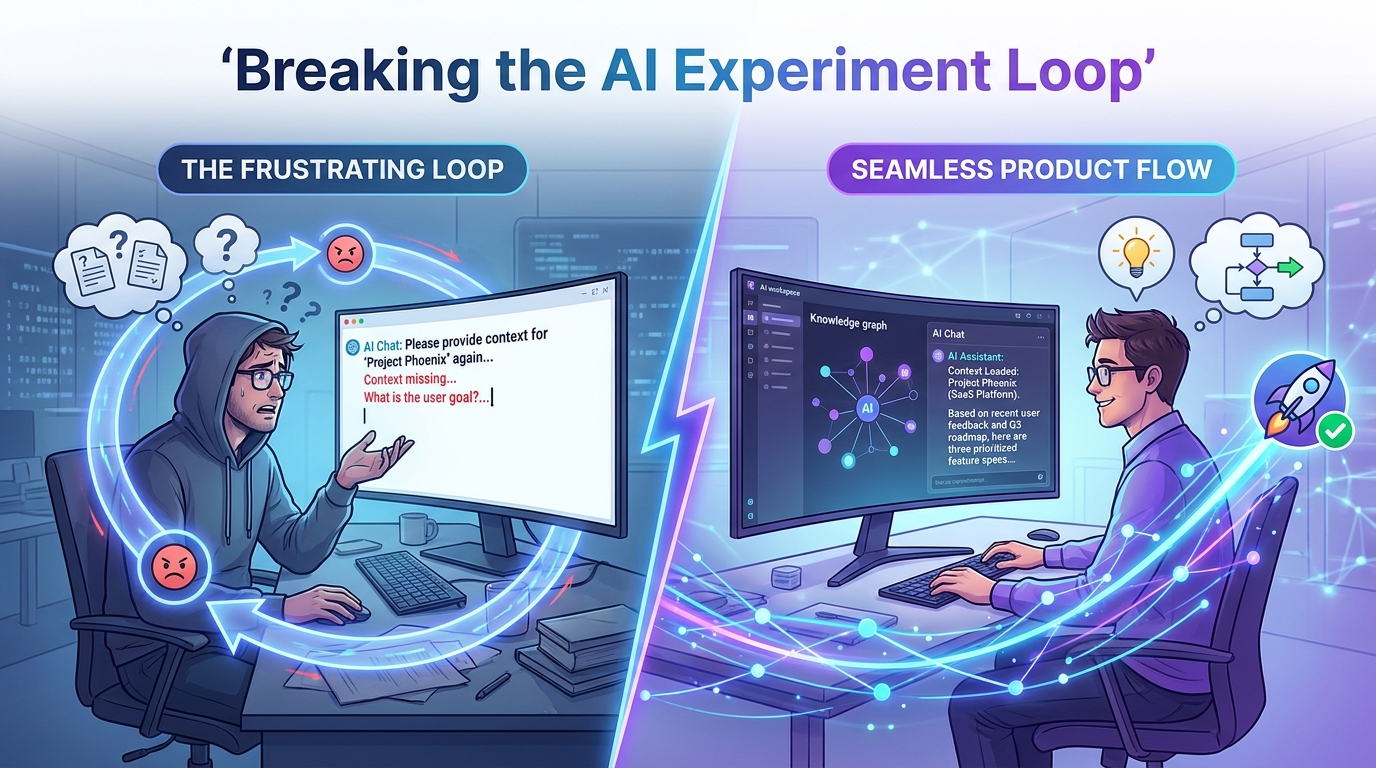
There's a pattern I keep seeing in every product organization I talk to.
Teams are experimenting with AI. Aggressively. They're building Claude projects, wiring GPT workflows, testing agents, spinning up internal toolchains. The energy is real. The investment is significant. Full days, sometimes full weeks, dedicated to making AI work for product development.
And most of them are stuck.
The Loop Nobody Talks About
The pitch is always the same. Use AI to write better specs. Use AI to speed up planning. Use AI to reduce the back and forth between product and engineering.
The reality looks different.
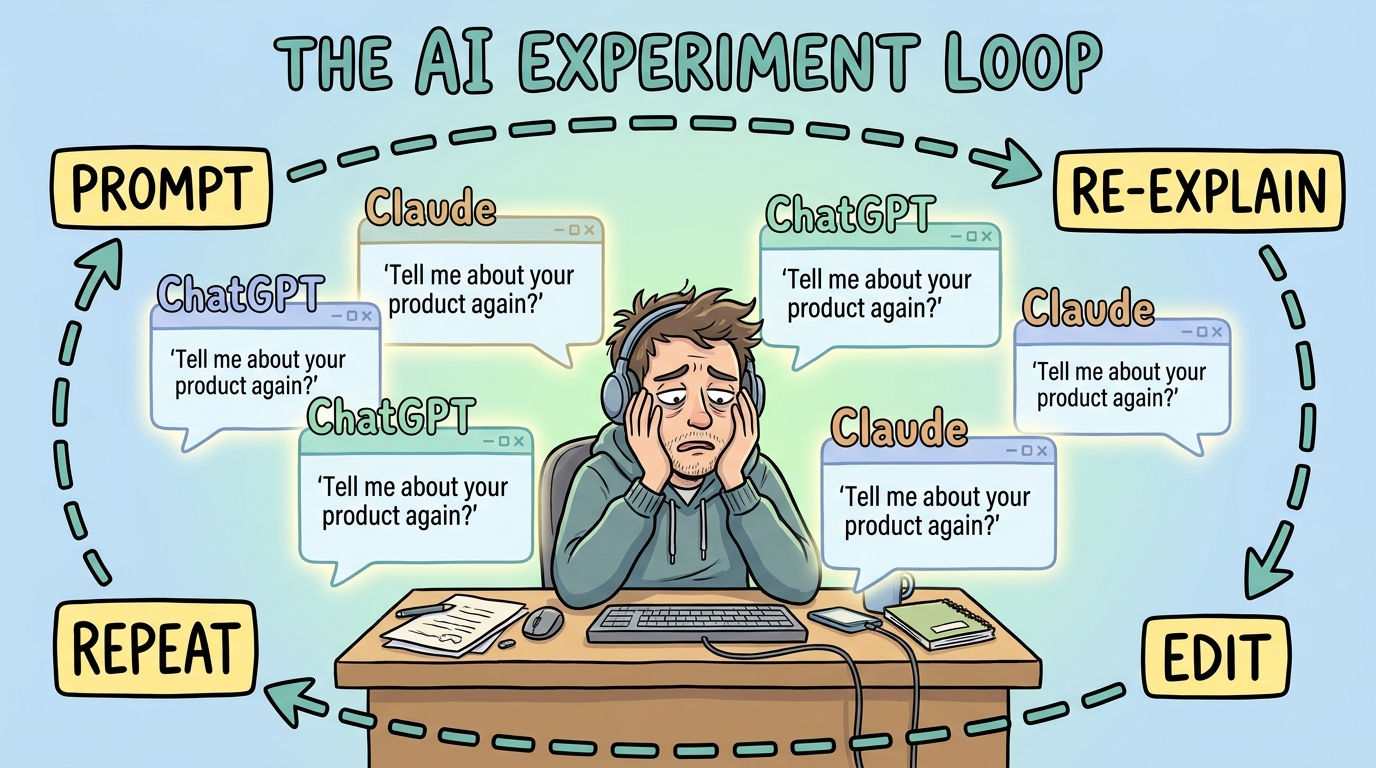
A PM opens Claude or ChatGPT. Types a prompt. Gets a generic output. Spends 30 minutes adding context. The AI doesn't know what was already decided three sprints ago. It doesn't know why the team chose one architecture over another. It doesn't know the company's naming conventions, the existing API contracts, or the five Confluence pages that define the product's strategic direction.
So the PM re-explains. Every. Single. Session.
The output improves slightly. But the time spent managing the AI session starts to rival the time it would have taken to just write the document manually. That's the loop. Experiment, re-explain, edit heavily, repeat. The team isn't getting leverage from AI. They're getting overhead.
I recently spoke with a senior product leader who described this perfectly. His teams were spending full days trying to integrate AI tools into their workflows. The expectation was better output, faster work, more leverage. What actually happened was the opposite. Output quality dropped. Productivity went down. Frustration went up.
The Problem Isn't the Model
Here's what most teams get wrong: they blame the AI model. They switch from GPT to Claude. They try Gemini. They fine-tune prompts. They build elaborate prompt templates with placeholders.
None of it solves the fundamental issue.
The AI doesn't know your product.
It doesn't matter how good the model is if every session starts from scratch. A brilliant surgeon who has never seen your medical history will still make worse decisions than a competent one who has your full chart. Context isn't a nice to have. It's the difference between useful output and expensive noise.
Generic AI tools know how PRDs work. They understand structure, sections, formatting conventions. They can generate a competent looking spec from a prompt. But they don't know how YOUR product evolved, why your team made certain architectural choices, what edge cases burned you last sprint, or how your organization actually communicates intent.
That gap between generic knowledge and contextual knowledge is where 80% of rework lives.
RAG: The Architecture That Makes Context Work
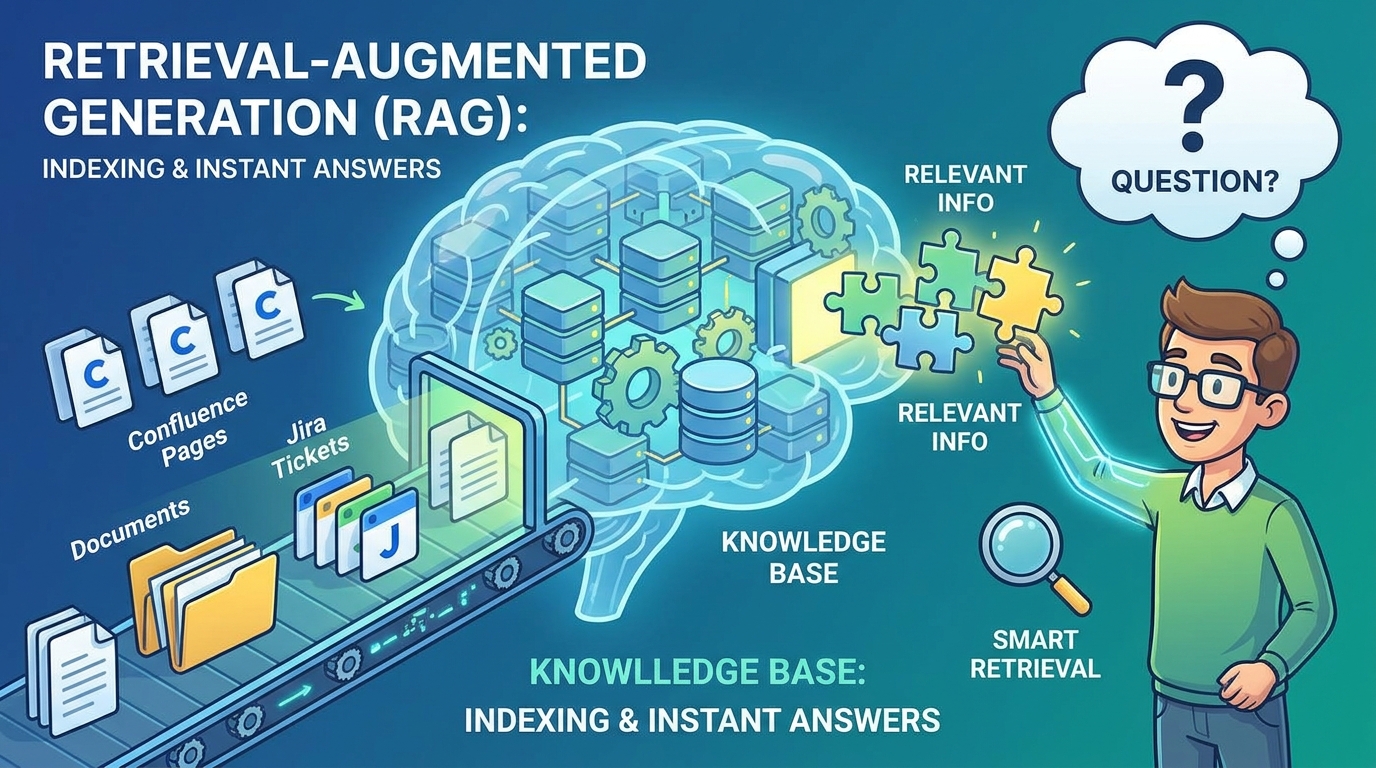
The missing piece isn't a better prompt or a smarter model. It's retrieval.
Prodini uses Retrieval Augmented Generation (RAG) to solve the context problem at an architectural level. Every piece of your product knowledge, Confluence pages, Jira tickets, past decisions, internal documentation, architectural notes, gets indexed, embedded, and stored.
When you ask a question or generate a document, state of the art retrieval pulls only the relevant context from your entire product knowledge base. Not everything. Just what matters for this specific request.
This is fundamentally different from pasting documents into a prompt. With manual context curation, you have to decide what's relevant before you ask. You'll forget something. You always forget something. And context windows have hard limits that your product documentation doesn't respect.
With RAG, the system handles the retrieval. It gets sharper as your documentation grows. The more your team writes, the more context the AI has to work with. Your product knowledge compounds instead of being lost across tabs and sessions.
No token limits forcing you to choose what matters. The system finds what matters for you.
The Shift: From AI Interface to AI Capability Layer
We stopped trying to build a better AI interface.
That might sound counterintuitive. Every AI product company is racing to build the best chat UI, the most polished editor, the slickest agent experience. We looked at the landscape and made a different bet.
The chat window already won. Claude, ChatGPT, Gemini. These are where teams live now. Product managers aren't looking for another dashboard to log into. They're looking for their existing AI workspace to understand their product.
So instead of competing with chat interfaces, we built the layer that makes them useful for product teams.
Prodini exposes an MCP (Model Context Protocol) connection. MCP is the emerging standard that lets AI clients securely connect to external tools and data sources. Any client that supports MCP and OAuth, Claude, ChatGPT, or whatever launches next year, can connect to Prodini and access your full product context.
One protocol. Full access. No vendor lock in.
What This Actually Looks Like
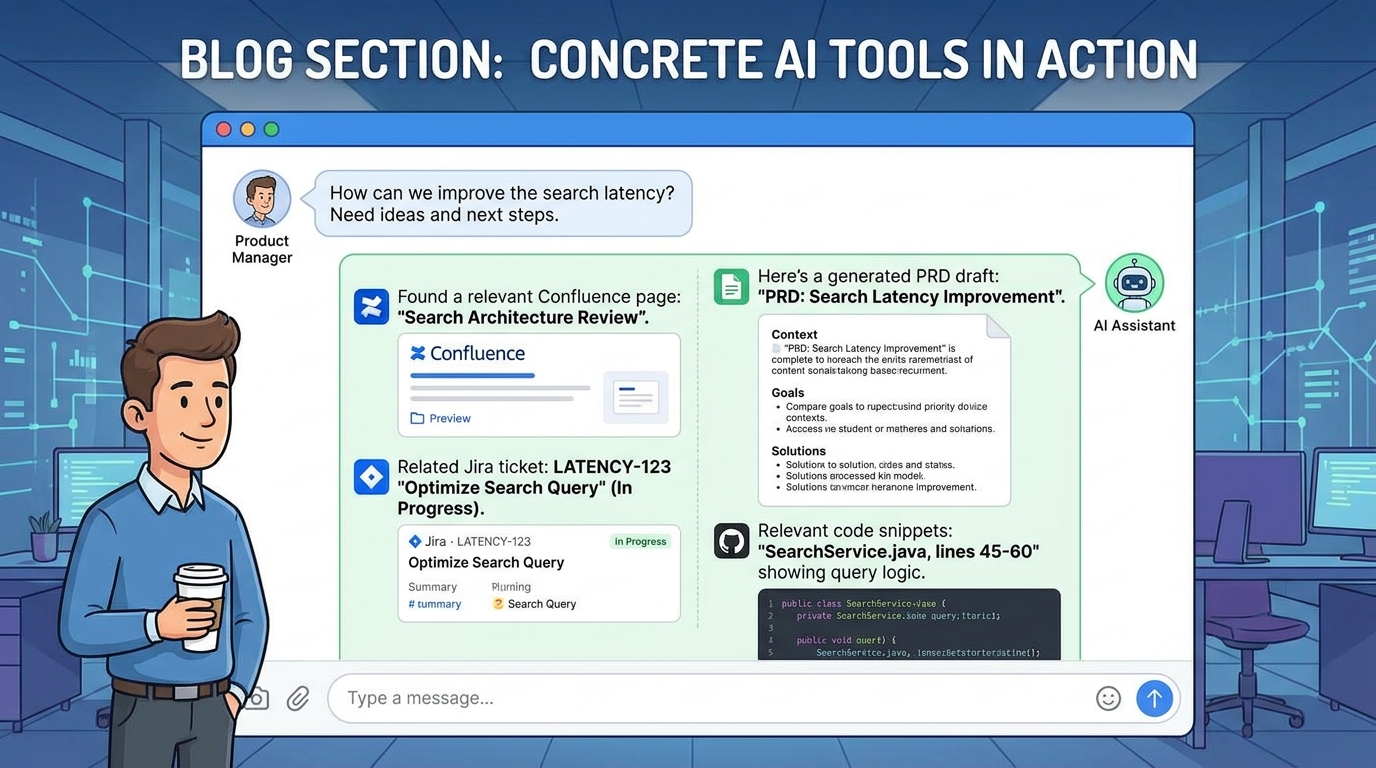
This isn't theoretical. Here's what happens inside a real chat session when Prodini is connected:
Search your Confluence without leaving the conversation. Your AI assistant can pull relevant pages, decisions, and documentation from your Confluence space in real time. No tab switching. No copy pasting URLs. You ask a question about your product, and the answer comes back grounded in your actual documentation.
Pull a Jira ticket and its full history. Not just the title and description. The full conversation. The linked issues. The acceptance criteria. The decisions that shaped it. When you're writing a spec that relates to existing work, the AI already knows the context.
Load a previous PRD conversation and continue where you left off. Every product conversation you've had through Prodini is persistent. You can pick up a requirements discussion from last week and the AI remembers the decisions, the tradeoffs, the open questions. No re-explaining.
Generate documents from your team's own templates. Not generic PRD templates from the internet. Your templates. The ones your engineering team actually reads. The format your stakeholders expect. The sections that matter for your review process.
Search across your internal knowledge base, code, docs, and decisions, all at once. One query that spans Confluence, Jira, your codebase, and your product decision history. The AI synthesizes across sources instead of you manually pulling context from five different tools.
Why MCP Changes the Game
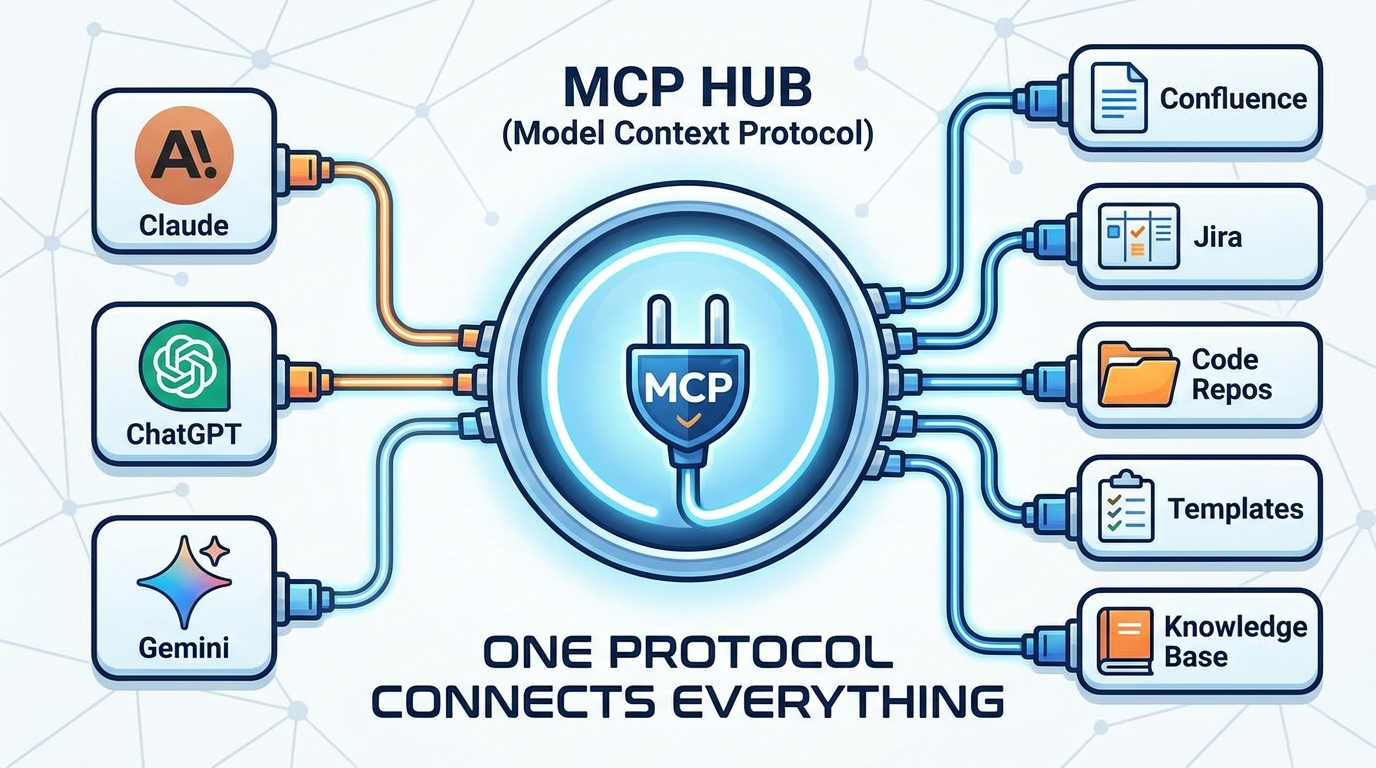
MCP hit 97 million monthly SDK downloads in early 2026. It went from 100K at launch to mainstream infrastructure in 18 months. The Linux Foundation now sponsors it, with OpenAI, Google, and Microsoft as co-contributors.
This isn't a niche protocol. It's becoming the standard for how AI clients connect to enterprise tools.
For product teams, this matters for three reasons:
No vendor lock in. If you connect Prodini via MCP today through Claude, and tomorrow your team switches to ChatGPT, your product context moves with you. The capability layer is independent of the interface layer.
Security by default. The MCP authorization spec mandates OAuth 2.1 with Dynamic Client Registration. Your product data, your Confluence pages, your Jira tickets, your internal knowledge, is accessed through proper authentication. Not through copy pasting sensitive content into chat prompts.
Composability. MCP tools can be combined in a single session. Search Confluence, then use that context to generate a PRD from your template, then cross reference against existing Jira tickets. All in one conversation. The tools compose naturally because they share the same protocol.
The Real Difference
The teams I see breaking out of the AI experiment loop all made the same shift. They stopped trying to make AI smarter. They started making AI more connected.
Connected to their documentation. Connected to their issue tracker. Connected to their product decisions. Connected to the accumulated knowledge that makes their organization unique.
The combination of RAG for deep context retrieval and MCP for universal access means your product knowledge is always available, always relevant, and always secure. Regardless of which AI client your team prefers today or switches to tomorrow.
That's when AI goes from "interesting experiment" to "I can't work without this."
We didn't build another dashboard for PMs to learn. We built the backend that makes every AI workspace smarter about your product.
The teams that stop experimenting and start connecting are the ones that finally get value from AI.
Try Prodini , free in Beta. Connect your product context to any AI workspace through MCP.